


DigiKey customers in the United States can select from a range of delivery options, including Ground shipping at $6.99 and 2-Day at $12.99
Credit account for qualified institutions and businesses
Payment in Advance by Wire Transfer
![]()
![]()
![]()
![]()
![]()


More Products From Fully Authorized Partners
Average Time to Ship 1-3 Days. Please see product page, cart, and checkout for actual ship speed.
Extra Ship Charges May Apply
For more information visit Help & Support
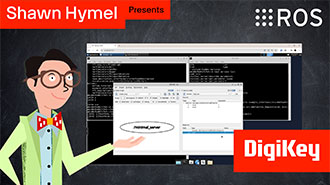
In this tutorial, we’ll dive into one of the most essential parts of working with ROS 2: the command-line interface (CLI). Before writing any code, it’s important to understand the basic tools that ROS 2 provides for exploring, debugging, and interacting with nodes, topics, and services.
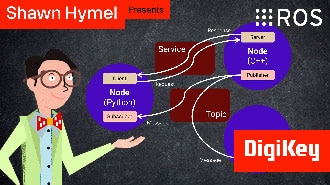
In this tutorial, we will see how services work by creating a custom server and client in Python ROS nodes.
In this post, we’ll introduce ROS. We’ll focus specifically on ROS 2, which is the current and actively developed version of the framework. Whether you're new to robotics or looking to understand the tools powering today’s most advanced robots, this is the place to start.
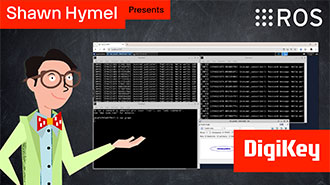
This tutorial will walk you through creating a publisher and subscriber from scratch using ROS 2’s Python client library, rclpy.
In this tutorial, we’ll walk through how to write ROS 2 nodes in C++ that communicate using the publish/subscribe model.
In this tutorial, we will see how services work by creating a custom server and client in C++ ROS nodes.
In this tutorial, we begin working with TF2, the ROS 2 library that handles coordinate transformations.
In this tutorial, we'll explore how to use parameters in ROS 2 to dynamically configure nodes.
In this tutorial, we’ll explore how ROS 2 launch files simplify node orchestration.
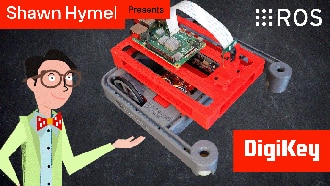
In this tutorial, we’ll demonstrate how to set up a communication channel between a ROS 2 node running on a Raspberry Pi and an Arduino-compatible microcontroller to control a simple robot.
In this tutorial, we take the next step and create a complete system using both TF2 broadcasters and listeners.
In this episode, we’ll go one step further by creating and using custom interfaces in both Python and C++. You’ll learn how to define your own message and service types and use them in publisher/subscriber and client/server architectures.
Co-Browse
By using the Co-Browse feature, you are agreeing to allow a support representative from DigiKey to view your browser remotely. When the Co-Browse window opens, give the session ID that is located in the toolbar to the representative.
DigiKey respects your right to privacy. For more information please see our Privacy Notice and Cookie Notice.
Yes, Continue to Co-BrowseGet fast and accurate answers from DigiKey's Technicians and Experienced Engineers on our TechForum.
Please visit the Help & Support area of our website to find information regarding ordering, shipping, delivery and more.
Registered users can track orders from their account dropdown, or click here. *Order Status may take 12 hours to update after initial order is placed.
Users can begin the returns process by starting with our Returns Page.
Quotes can be created by registered users in myLists.
Visit the Registration Page and enter the required information. You will receive an email confirmation when your registration is complete.
DigiKey customers in the United States can select from a range of delivery options, including Ground shipping at $6.99 and 2-Day at $12.99
Credit account for qualified institutions and businesses
Payment in Advance by Wire Transfer
![]()
![]()
![]()
![]()
![]()


More Products From Fully Authorized Partners
Average Time to Ship 1-3 Days. Please see product page, cart, and checkout for actual ship speed.
Extra Ship Charges May Apply
For more information visit Help & Support
Thank you!
Keep an eye on your inbox for news and updates from DigiKey!
Please enter an email address