






 Configuración
 Entrega rápida
 Tipos de pago


 Producto del mercado


Actualización de su Pi
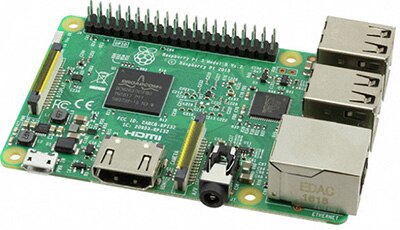 (Image source: Raspberry Pi Foundation)
You have had your Raspberry Pi for a little while now. Things are going pretty well. You have written some code, and now your Pi is doing something awesome. You want to add some new functionality that you just saw on the forums, or you saw a new project you wanted to try. The problem is that your Raspberry Pi is on an old distro of your current version, and you don’t want to lose all the work you have on it. Well, you could back up your work and download the latest image and redo everything; or you can just update your Pi with three simple commands. The whole process takes a few minutes and most of that is waiting on the update to finish. You can watch the process in this video:
Acerca de este autor

Ben Roloff, ingeniero adjunto en aplicaciones en DigiKey, ayuda a los clientes con todas las necesidades de microcontroladores desde 2016. Nació en 1991, un tiempo en el que internet era algo desconocido en el hogar. Internet comenzó a conocerse cuando fue al colegio y, de alguna manera, Ben se crió con internet. Su interés en las computadoras lo empujó a seguir una carrera en ingeniería informática y se convirtió en Licenciado en ingeniería en la South Dakota School of Mines and Technology.

Have questions or comments? Continue the conversation on TechForum, Digi-Key's online community and technical resource.
Visit TechForumMás blogs de este autor










 Estados Unidos